Imagine running a small shop.
Customers keep calling. Messages keep coming. You have orders to manage and spreadsheets to update.
By the end of the day, you’re tired. But there’s still work left.
What if you could automate some of these tasks?
That’s where AI automation tools for small business come in. They can handle repetitive work and give you more time to focus on your customers.
And no, you don’t need to be a tech expert.
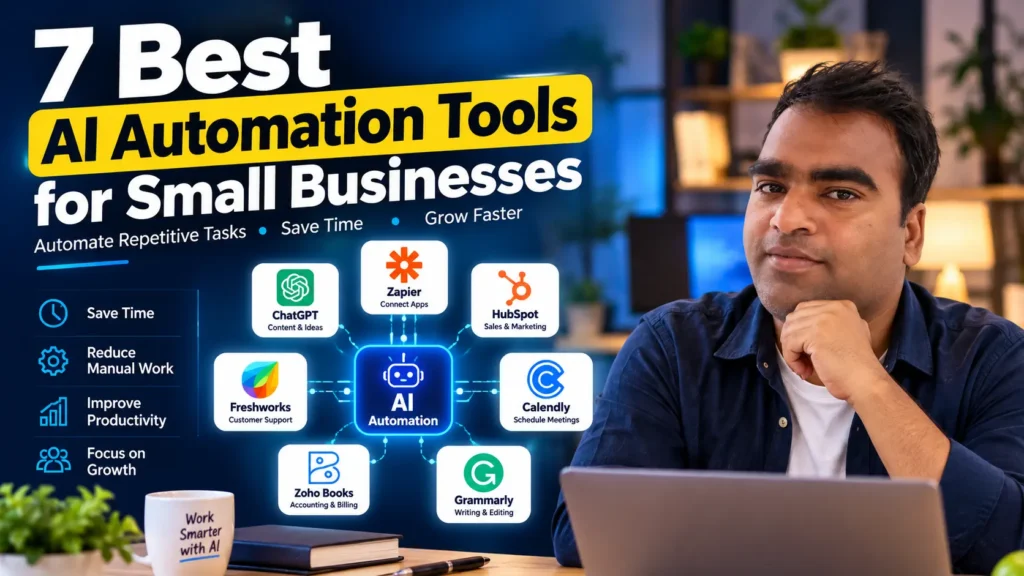
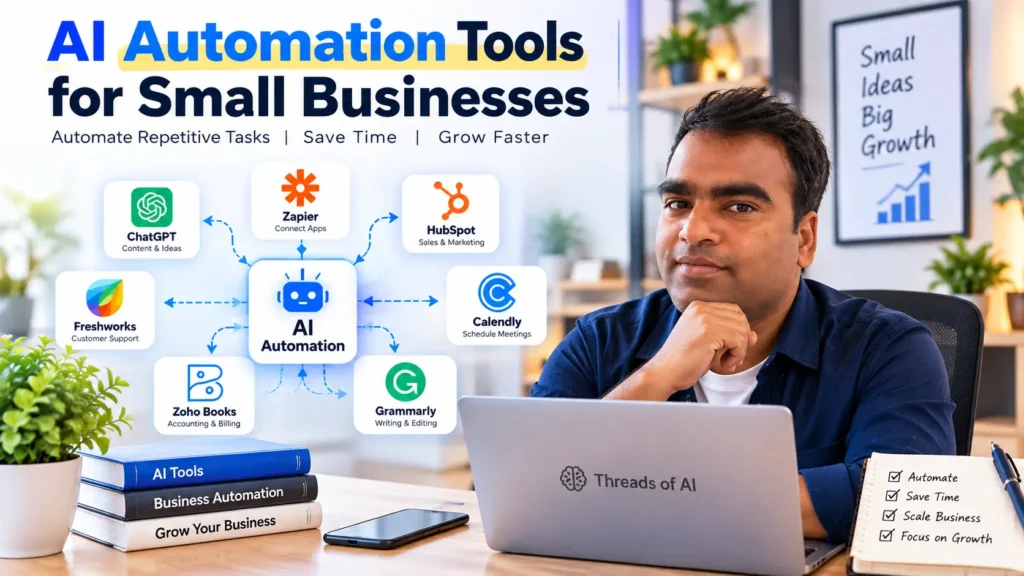
In this guide, I’ll walk you through 7 AI automation tools for small businesses. You’ll learn what each tool does, how it can help, and where to get started.
Table of Contents
What Are AI Automation Tools for Small Businesses?
Imagine this.
A customer sends you a message. You reply. Then another customer asks the same question. You reply again.
Now imagine doing this every day.
It takes time, right?
AI automation tools can help reduce this repetitive work. They let you automate certain tasks, so you don’t have to do everything manually.
For example, you can use these tools to:
- Reply to customer messages: Answer common questions automatically.
- Create invoices: Generate invoices when an order is placed.
- Capture leads: Collect customer details and send follow-up emails.
- Schedule meetings: Let customers book appointments based on your availability.
- Schedule social media posts: Plan posts in advance instead of publishing them manually.
The best part? You don’t always need an expensive tool or coding skills to get started.
Some tools offer free plans. Others provide more advanced features through paid plans.
Start with one task that takes too much of your time. Automate it first. Then move on to the next one.
How to Choose the Right AI Automation Tool
There are so many tools in the market.
But here’s the thing. Not every tool is right for your business.
Imagine paying for a tool, only to discover that it’s too complicated to use. That’s money wasted.
So, check these four things before choosing a tool.
1. Is it easy to use?
You shouldn’t need to be a coding expert. Look for a tool that’s easy to set up and understand.
2. Does it fit your budget?
Every business has expenses. Choose a tool you can afford. Start with a free plan if it meets your needs.
3. Does it work with your existing tools?
Your new tool should work with the apps you already use, such as your website, email, or CRM. Check its integrations before paying.
4. Can it grow with your business?
Your business may be small today. But what happens when you get more customers? Choose a tool that can handle your growing workload.
Remember, the goal is to make your work easier, not more complicated.
Choose a tool that saves you time without creating more headaches.
7 Best AI Automation Tools for Small Businesses
Now comes the interesting part.
You know what automation can do. You also know what to look for when choosing a tool.
But which tools should you try?
Let’s look at seven options. I’ll explain what each tool does, where it can help your business, and what to consider before choosing it.
You don’t need all seven. Start with the one that solves your biggest problem.
Zapier — Connect Your Everyday Apps
Imagine you run a small online shop.
A new order comes in. You copy the details into a spreadsheet. Then you send a confirmation email.
Now imagine doing this for every order.
It gets tiring, right?
Zapier can help you automate this work.
It connects apps like Gmail, Google Sheets, Slack, and Trello. You create a workflow called a Zap. It starts when something happens in one app. Then it performs an action in another.
For example, when a customer fills out your order form, Zapier can add their details to Google Sheets and trigger another action.
You set up the workflow once. Zapier handles the repeated steps whenever the workflow runs successfully.
What Can You Do With Zapier?
- Connect your apps: Move information between compatible apps automatically.
- Automate multiple steps: Build workflows that perform several actions.
- Add conditions: Use filters and conditional paths to control what happens next.
- Connect thousands of apps: Explore integrations for the tools your business already uses.
Is Zapier Really an AI Automation Tool?
Yes, but there’s a small difference.
Zapier is mainly a workflow automation tool. It connects your apps and handles repetitive tasks.
For example, it can automatically save customer details from a form into Google Sheets. That doesn’t require AI.
But you can also use Zapier with AI tools like ChatGPT.
Imagine a customer sends you an email. An AI-powered workflow could understand the message, draft a reply, and save the details in your CRM.
That’s the difference.
Regular automation follows predefined rules. AI automation can also analyze and generate content.
Both can save time. The right choice depends on what you want to automate.
What I Like About Zapier
- No-code workflows are available for many common tasks.
- It can reduce repetitive data entry.
- It connects many popular business apps.
What Should You Know Before Using It?
- The Free plan has a limit of 100 tasks per month.
- Free workflows are limited to two steps.
- Multi-step workflows and premium app integrations require a paid plan.
- More complex workflows may need time to set up and test.
How Much Does Zapier Cost?
Zapier offers a Free plan and several paid plans. The right option depends on how many tasks you run and which features you need.
| Plan | Best for |
|---|---|
| Free | Testing simple automations |
| Professional | More advanced workflows |
| Team | Teams that need collaboration |
| Enterprise | Businesses with advanced requirements |
Prices and plan limits can change. Check the official Zapier pricing page for current rates and features before choosing a plan.
My Tip: Just getting started? Try the Free plan first. Pick one repetitive task and build a simple workflow around it. Test it carefully before relying on it for important business operations.
Who Should Use Zapier?
Zapier can be useful for small business owners, freelancers, marketers, coaches, and agencies that use multiple apps and want to reduce manual work.
It may not be the right choice for every workflow. Check that your apps are supported and that the available plan meets your needs.
Ready to explore?
ChatGPT and Jasper — AI Writing Tools for Small Businesses
Imagine you run a small business.
You need a blog post for your website. Then you need a few social media captions. And don’t forget the email you promised to send.
Writing everything takes time.
That’s where AI writing tools can help.
ChatGPT can help you brainstorm ideas, write blog drafts, create product descriptions, and draft customer emails.
Jasper focuses on marketing content. It can help businesses create campaign copy and content that follows their brand voice.
Both can speed up your writing process. But you’ll still need to review the output before publishing it.
What Can These Tools Do?
- Write content: Create first drafts for blogs, emails, and product descriptions.
- Adjust the tone: Make your writing more professional, friendly, or persuasive.
- Generate marketing copy: Create ad variations, social media captions, and campaign ideas.
- Support content workflows: Use AI-generated drafts as a starting point for your regular marketing tasks.
What Are the Benefits?
- Save time on first drafts.
- Overcome writer’s block.
- Generate ideas for different platforms.
- Adapt content for different audiences.
What Should You Know Before Using Them?
- AI can produce incorrect facts or generic content. Always review the output.
- A weak prompt can lead to an unhelpful draft.
- You may need to edit the content to match your brand voice.
- Advanced features and business plans may require payment.
What About Pricing?
ChatGPT: A free version is available. Paid plans offer additional features and higher usage limits.
Jasper: Offers paid plans for marketing teams and content creators, with pricing depending on the plan and billing period.
Important: ChatGPT subscriptions and API usage have separate billing. The API is useful when developers want to integrate AI into their own apps or automated workflows. It’s not required for ordinary writing in ChatGPT.
Check the latest details on the official ChatGPT pricing page, OpenAI API pricing page, and Jasper pricing page.
Which Businesses Should Use These Tools?
These tools can help small business owners, bloggers, freelancers, copywriters, and marketing teams.
If you simply want help writing emails or blog posts, start with ChatGPT.
If your team regularly creates marketing campaigns and needs brand-focused content workflows, explore Jasper.
My Tip: Don’t publish an AI-generated draft without reviewing it. Add your own experience, check the facts, and make sure the final content sounds like your business.
Explore the tools:
HubSpot — Manage Your Leads and Customer Relationships

Imagine someone visits your website.
They show interest in your service. They fill out a contact form. Then what?
You need to save their details, follow up, and keep track of the conversation.
Now imagine managing dozens of potential customers at once.
Things can get messy.
That’s where HubSpot can help.
HubSpot brings customer relationship management (CRM), marketing, and sales tools together in one platform. It helps you organize leads, manage customer information, and automate parts of your sales process.
How Can HubSpot Help Your Business?
Imagine this workflow:
A visitor fills out your contact form. Their details are saved in your CRM. You send a follow-up email and track their progress through your sales pipeline.
With the right setup, several of these steps can happen automatically.
You can also use AI features to assist with certain sales and marketing tasks, depending on your plan.
If you want to build a more automated sales process, read our guide: AI Sales Agent: From Setup to Success.
Key Features
- Email automation: Send follow-up emails using supported automation features.
- Landing pages and forms: Collect information from potential customers.
- Lead management: Keep customer details organized in one place.
- Sales pipeline tracking: See where each potential customer stands.
- Reporting: Monitor sales and marketing performance using available reports.
What Are the Benefits?
- A central place to manage customer information.
- Less manual work when handling leads.
- Better visibility into your sales pipeline.
- Free CRM tools to help you get started.
What Should You Know Before Using HubSpot?
- Advanced automation features may require a paid plan.
- The platform can take time to learn if you’re new to CRM software.
- Some features have usage limits or depend on your subscription.
- Automated emails and follow-ups still need thoughtful setup.
How Much Does HubSpot Cost?
HubSpot offers free CRM tools, along with paid products and plans.
The cost depends on the features you need, the products you choose, and your business requirements. Check the official HubSpot pricing page for current pricing and plan details.
My Tip: Start with the free CRM if you mainly need to organize contacts and track leads. Upgrade only when you need additional automation or reporting features.
Who Should Use HubSpot?
HubSpot can be useful for consultants, agencies, B2B businesses, and online stores that need a better way to manage leads and customer relationships.
If you’re handling only a few customers, a simpler tool may be enough. But if you’re losing track of follow-ups, a CRM can make a real difference.
Explore HubSpot: Visit the official website.
Freshworks — Help Your Customers Faster
Imagine a customer visits your website.
They have a question about your product. They want an answer now, not tomorrow.
But you’re busy handling orders, replying to emails, and managing your business.
You can’t be available every minute of the day.
That’s where Freshworks can help.
Freshworks offers tools for customer support and sales. Depending on the product you choose, you can manage support tickets, chat with customers, organize leads, and automate parts of your workflow.
How Can Freshworks Help Your Business?
Imagine a customer asks a common question.
A chatbot can help answer it. If the issue needs human attention, your support team can take over.
Meanwhile, other customer requests can be organized into tickets. Your team can track them instead of losing messages in a crowded inbox.
This is one way AI customer support and business automation can make daily work easier.
Key Features
- AI chatbots: Help answer common customer questions using supported features.
- Ticket management: Organize customer issues and track their progress.
- Live chat: Communicate with customers through supported channels.
- Sales management: Use Freshsales to organize leads and track sales opportunities.
- Workflow automation: Automate selected tasks and processes, depending on your plan.
What Are the Benefits?
- Keep customer conversations organized.
- Reduce repetitive support tasks.
- Track customer issues and sales opportunities more easily.
- Choose a product that fits your business needs.
What Should You Know Before Using Freshworks?
- Advanced automation and AI features may require paid plans.
- Freshchat and Freshsales serve different purposes, so choose the right product.
- Pricing and feature limits vary by product and subscription.
- Chatbots may not solve every issue. Some conversations still need a human.
How Much Does Freshworks Cost?
Freshworks offers different plans for its customer support and sales products. Available features and prices depend on the product, billing period, and plan.
Before choosing a plan, compare the features you actually need.
Check the official websites for current details:
My Tip: Start by identifying your biggest problem. Are you missing customer messages, struggling to track support tickets, or losing track of sales leads? Choose the product that solves that problem first.
Who Should Use Freshworks?
Freshworks may suit small businesses, SaaS companies, coaching businesses, and online stores that need better customer support or sales management.
You don’t need to automate everything at once. Start with one process, test it, and expand when you see the benefits.
Explore Freshworks: Visit the official product pages above to find the right solution for your business.
Zoho Books — Your Accounting Assistant
Imagine running a small business.
You send invoices to customers. You track expenses. You record payments.
Then the month ends.
Now you need to organize everything and prepare your financial reports.
It can take a lot of time.
Zoho Books can help simplify this work.
It’s an accounting platform designed to help businesses manage invoices, expenses, transactions, and financial records.
Some tasks can be automated. This means less repetitive work and more time to focus on your business.
How Can Zoho Books Help?
Imagine you receive a payment from a customer.
With supported banking integrations, transactions can be imported into your account. You can review and categorize them instead of entering every detail manually.
You can also create invoices, schedule reminders, and review reports from one place.
For eligible Indian businesses, Zoho Books also supports GST-related accounting and invoicing features.
Key Features
- Invoice management: Create and send invoices to customers.
- Expense tracking: Organize business expenses and bills.
- Bank reconciliation: Match imported bank transactions with your records.
- Payment reminders: Automate reminders for outstanding invoices.
- Financial reports: Review cash flow, income, expenses, and other reports.
- GST support: Manage supported GST accounting and compliance workflows.
What Are the Benefits?
- Reduce repetitive bookkeeping tasks.
- Keep invoices and expenses organized.
- Access financial reports more easily.
- Manage relevant GST workflows within the platform.
What Should You Know Before Using It?
- Some features are available only on specific paid plans.
- You may need time to configure your accounts and tax settings.
- Imported transactions and automated categorizations still need review.
- The right plan depends on your business size and requirements.
How Much Does Zoho Books Cost?
Zoho Books offers a free plan and several paid plans in India.
The features and limits vary by plan. Check the official Zoho Books pricing page for current prices and plan details.
My Tip: Start by identifying the accounting task that takes the most time. Try automating that task first. Always review your financial records before using them for tax filing or business decisions.
Who Should Use Zoho Books?
Zoho Books can be useful for freelancers, consultants, service providers, and small businesses that need help managing invoices, expenses, and accounting records.
If you run a business in India, check the available GST features and choose a plan that meets your requirements.
Explore Zoho Books: Visit the official website.
Calendly — Automate Appointment Scheduling
Imagine you’re a consultant.
A client wants to book a call with you. You suggest a time. They ask for another option. You check your calendar and send a new time.
This goes back and forth.
And all you’re trying to do is book a meeting.
Calendly makes scheduling much easier.
Connect your calendar, set your available hours, and share your booking link. Clients can choose a suitable time without exchanging multiple emails.
How Can Calendly Help Your Business?
Imagine sending a client this simple message:
“Want to discuss your project? Book a time that works for you.”
You share your Calendly link. The client picks an available slot, and the meeting is added to your calendar.
You can also connect supported video conferencing tools to include meeting details automatically.
Key Features
- Availability management: Show clients the time slots you’re available for.
- Calendar integration: Connect supported calendars to help prevent double-booking.
- Video meeting links: Integrate Zoom or Google Meet for online meetings.
- Booking pages: Let clients schedule meetings through a shareable link.
- Reminders and follow-ups: Automate meeting communications on eligible plans.
What Are the Benefits?
- Spend less time coordinating meeting times.
- Make booking easier for clients.
- Reduce scheduling conflicts.
- Manage appointments across supported calendars and meeting tools.
What Should You Know Before Using Calendly?
- The Free plan is limited to one event type and one connected calendar.
- Advanced scheduling features and automated reminders may require a paid plan.
- You’ll need to keep your availability and calendar settings up to date.
How Much Does Calendly Cost?
Calendly offers a Free plan and paid plans with additional scheduling and automation features.
The right plan depends on whether you need multiple event types, calendar connections, team scheduling, or automated reminders.
Check the official Calendly pricing page for current prices and features.
My Tip: Start with the Free plan if you mainly need a simple booking link. Test it with a few clients before deciding whether you need more advanced features.
Who Should Use Calendly?
Calendly can be useful for consultants, coaches, freelancers, agencies, and service businesses that schedule client calls or appointments regularly.
If you spend too much time arranging meetings, this is one of the simplest small business automation tools to try.
Explore Calendly: Create your free account.
Grammarly — Improve Your Business Writing

Imagine you’re about to send a proposal to a potential client.
You’ve written everything. The offer looks good. But some sentences feel awkward, and you’re not sure whether the tone sounds professional.
You don’t want a small writing mistake to leave the wrong impression.
That’s where Grammarly can help.
Grammarly checks your writing and suggests improvements to grammar, spelling, clarity, and tone. It can help you polish emails, proposals, social media captions, and other business documents.
How Can Grammarly Help Your Business?
Imagine writing an email to a new client.
You explain your services, but the message feels a little too casual. Grammarly can suggest ways to make it clearer and more professional.
You review the suggestions, make the changes that fit your message, and send the final version with more confidence.
Key Features
- Grammar and spelling checks: Identify common writing mistakes.
- Clarity suggestions: Make sentences easier to understand.
- Tone suggestions: Help adjust the tone for different audiences.
- AI writing assistance: Get help drafting, rewriting, and improving text.
- Writing integrations: Use Grammarly in supported apps and writing environments.
What Are the Benefits?
- Easy to use for everyday writing.
- Helps polish client-facing emails and proposals.
- Works across supported browsers and writing apps.
- The Free plan offers useful basic writing assistance.
What Should You Know Before Using Grammarly?
- Some advanced suggestions and AI features require a paid plan.
- Suggestions may not always match your intended meaning or voice.
- You should review changes instead of accepting every suggestion automatically.
- Paid pricing depends on the plan and billing period.
How Much Does Grammarly Cost?
Grammarly offers a Free plan and paid plans with additional writing assistance.
Check the official Grammarly pricing page for current prices and features.
My Tip: Start with the Free plan. Use it to review your emails, proposals, and website copy. Upgrade only if you regularly need features that aren’t included in the free version.
Who Should Use Grammarly?
Grammarly can be useful for small business owners, freelancers, content writers, social media managers, and anyone who regularly communicates with customers in writing.
It won’t automate your entire business. But it can make one everyday task—writing clearly and professionally—much easier.
Explore Grammarly: Visit the official website.
Free vs. Paid AI Automation Tools: Which Should You Choose?
Every small business owner thinks about costs.
“If I can do this for free, why should I pay?”
That’s a fair question.
When you’re just starting, you don’t need to spend money on every tool. Free plans can help you test workflows and understand what works for your business.
But as your needs grow, you may run into limits.
Let’s look at the difference.
Free Tools — A Good Place to Start
Imagine you’re running a small business and want to automate a few repetitive tasks.
You don’t know which tool to choose yet. And you don’t want another monthly expense.
That’s where free plans can help.
You can try a tool, learn how it works, and see whether it solves your problem before spending money.
Benefits of Free Plans
- No subscription cost for the included features.
- A simple way to test automation.
- Useful for basic tasks and smaller workloads.
What Are the Limitations?
- Monthly usage or task limits may apply.
- Advanced features may not be included.
- Integrations and customization options can be limited.
- Support options may differ from paid plans.
Examples to Explore
- Grammarly Free: Basic writing assistance.
- Zapier Free: Test simple workflows within its current task and feature limits.
- Calendly Free: Create a basic booking page within the plan’s limits.
- Freshworks Free plans: Explore available customer support or CRM features, depending on the product.
Always check the official pricing pages because plan features and limits can change.
Paid Tools — When Your Business Needs More
Now imagine your business is growing.
You’re getting more customers. You’re handling more orders. And your free plan no longer covers the work you need to automate.
This may be the right time to consider a paid plan.
Paid tools can offer higher usage limits, advanced features, more integrations, or team collaboration options, depending on the product and subscription.
Benefits of Paid Plans
- Access to additional features and higher limits.
- More options for complex workflows.
- Team features and integrations on eligible plans.
- Support options that may be more extensive.
What Should You Consider?
- You’ll have a recurring subscription cost.
- Some tools take time to configure properly.
- A more expensive plan isn’t always necessary.
- You should calculate whether the time saved justifies the cost.
When Should You Upgrade?
Consider upgrading when:
- You regularly hit the free plan’s limits.
- You need a feature that’s only available on a paid plan.
- Your team needs additional access or collaboration features.
- The tool saves enough time or money to justify the subscription.
My Tip: Start free whenever the available features meet your needs. Upgrade only when you have a clear reason.
You don’t need the most expensive plan. You need the right tool for the work you want to automate.
Free vs. Paid Tools: A Quick Comparison
| Feature | Free Plans | Paid Plans |
|---|---|---|
| Cost | No subscription fee for included features | Recurring subscription or usage-based charges may apply |
| Features | Basic features or limited access | Additional features, depending on the plan |
| Usage limits | Often more restrictive | Often higher limits |
| Integrations | May be limited | Additional integrations may be available |
| Team collaboration | May be limited | More team features on eligible plans |
| Support | Available support varies | Additional support may be included |
| Best for | Testing and simpler workflows | Growing needs and more complex workflows |
The exact differences depend on the tool. Always check its official pricing page before making a decision.
How to Start Automating Your Business
Starting with automation can feel confusing.
There are so many tools. So many features. And so many tutorials.
But you don’t need to automate everything at once.
Start small.
1. Pick One Tool
Choose a task that takes up too much of your time. It could be replying to common customer questions, scheduling meetings, or updating a spreadsheet.
Find one tool that can help with that task.
2. Learn the Basics
You don’t need to learn everything on day one. Watch a tutorial or follow the tool’s official setup guide.
Learn only what you need to get your first workflow running.
3. Test It Before Relying on It
Try the automation with a few examples. Check whether it works as expected.
Keep a manual backup until you’re confident that the workflow is reliable.
4. Make It Part of Your Routine
Once the workflow works well, use it consistently. Show your team how it works and explain what to do if something goes wrong.
5. Ask for Help When You Need It
Stuck on a complicated setup? Check the tool’s help center or community first.
If you need more support, consider hiring a freelancer or automation expert.
Remember, you don’t need to build a complex system on day one.
Start with one repetitive task. Make it work. Then move on to the next.
Want to Take Your AI Journey Further?

Choosing the right tools is just the beginning. If you want to explore AI-powered business ideas, discover useful prompts, and learn how to build and grow an AI-based business, the Threads of AI Power Bundle can help you get started.
Inside the bundle, you’ll find practical resources, including:
- A guide to starting an AI-based agency
- An AI-based freelancing blueprint
- 500 high-impact AI prompts
- 200 curated AI tools
- A guide to AI-based business growth
Ready to explore the bundle?
Get the Threads of AI Power Bundle →
If your business needs to connect multiple marketing tools or build more complex workflows, read our guide on choosing an AI marketing automation agency. It explains what agencies do, what to consider before hiring one, and how to evaluate the cost.
What is the future of AI Automation tools for small business?
Imagine running your business with less manual work.
Customer messages are easier to manage. Follow-ups happen on time. Reports take less effort to prepare.
That’s the direction AI and automation tools are moving toward.
As these technologies develop, small businesses may get more ways to:
- Automate more tasks: Handle repetitive work with less manual effort.
- Work more efficiently: Connect everyday apps and simplify business workflows.
- Explore affordable solutions: Choose from tools and plans that fit different budgets.
- Personalize customer experiences: Use customer data responsibly to create more relevant messages and offers.
Of course, not every tool will fit every business. Costs, features, and results will vary.
You don’t need to wait for the perfect AI tool.
Start with one task that wastes your time. Find a suitable solution. Test it. Then build from there.
The goal isn’t to use more AI tools. It’s to make your business work better.
Final Thoughts: Start Small, Grow Smarter
Running a small business isn’t easy.
There are customers to handle, emails to answer, invoices to manage, and a hundred other things to do.
But you don’t have to do everything manually.
The AI automation tools for small business we’ve explored in this guide can help you save time, simplify everyday tasks, and focus on growing your business.
You don’t need all seven tools. And you don’t need to automate everything today.
Start with one task that takes too much of your time. Choose a tool that fits your needs. Test it. See what works.
Then take the next step.
Remember, the goal isn’t to use more tools. It’s to spend less time on repetitive work and more time on what matters.
Make AI Work for Your Business
At Threads of AI, we believe AI should be practical and accessible.
We share simple tutorials, useful tools, and real-world automation ideas to help small businesses and creators put AI to work.
No unnecessary jargon. No complicated explanations. Just practical ways to work smarter.
Your next step: Pick one repetitive task in your business and explore how you could automate it.
Have you tried any of these tools? Share your experience in the comments. Your insights might help another business owner take their first step.
Start small. Automate smartly. Grow consistently.
FAQs
I don’t know technology. Can I still use AI automation tools?
Absolutely! Many AI automation tools offer no-code features and beginner-friendly interfaces. Start with one simple task, follow the setup guide, and test the workflow before relying on it.
Are free AI automation tools safe?
Free tools can be safe, but it depends on the provider and how you use them. Check the privacy policy, security features, and data-handling practices before connecting business accounts. Avoid sharing sensitive customer or financial information unless you understand how it will be handled.
Which AI automation tool should I use first?
Choose based on the task you want to simplify.
Content writing: Try ChatGPT.
Customer support: Explore Freshworks products that match your needs.
Lead and sales management: Consider HubSpot.
Connecting apps: Try Zapier.
Accounting: Explore Zoho Books.
Meeting scheduling: Try Calendly.
Writing and editing: Try Grammarly.
The best AI automation tools for small business are the ones that solve a real problem without adding unnecessary complexity.
What are the best AI automation tools for small businesses?
The right tool depends on your business needs. Zapier helps connect apps, ChatGPT assists with writing and other tasks, HubSpot helps manage leads, Freshworks supports customer service, Zoho Books handles accounting, Calendly simplifies scheduling, and Grammarly improves writing.
Are AI automation tools free?
Some tools offer free plans, while others require paid subscriptions for advanced features. Free plans may have limits on usage, integrations, or functionality. Check the official pricing page before choosing a tool.
Can AI automation tools replace employees in a small business?
AI automation tools can handle some repetitive tasks, but they don’t replace human judgment, customer relationships, or every business role. They work best when they support people and free up time for more valuable work.
How do I know if an automation tool is worth paying for?
Look at how much time the tool saves, whether it reduces errors, and how much it costs. Start with a free plan if available. Upgrade when you need additional features or when the benefits justify the expense.